


Capture every detailworth rememberingwith AI Scribe
The treatment you recommended for next time. The concern they mentioned in passing. The wedding they’re getting ready for. AI Scribe takes note of it all and keeps everything organized across your patient’s chart, treatment plan, and profile.
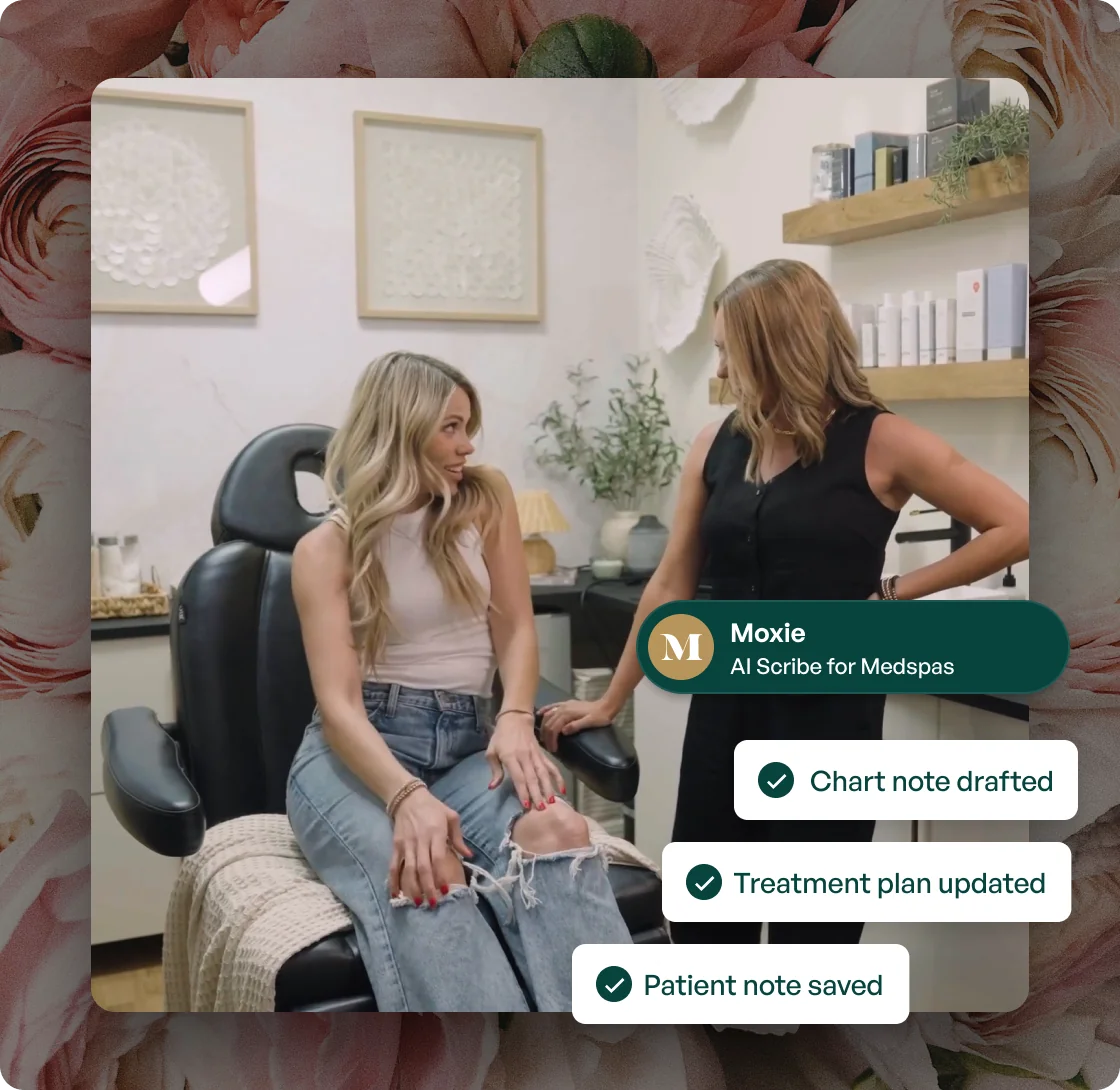
Saved per provider
with AI Scribe
“I've been using the AI Scribe tool for a few months, and it has made my charting easier and more thorough.”
To generate a draft note
From a single patient conversation





Three types of notes drafted
from one conversation
Everything you discuss with a patient has its own place in Moxie Suite.
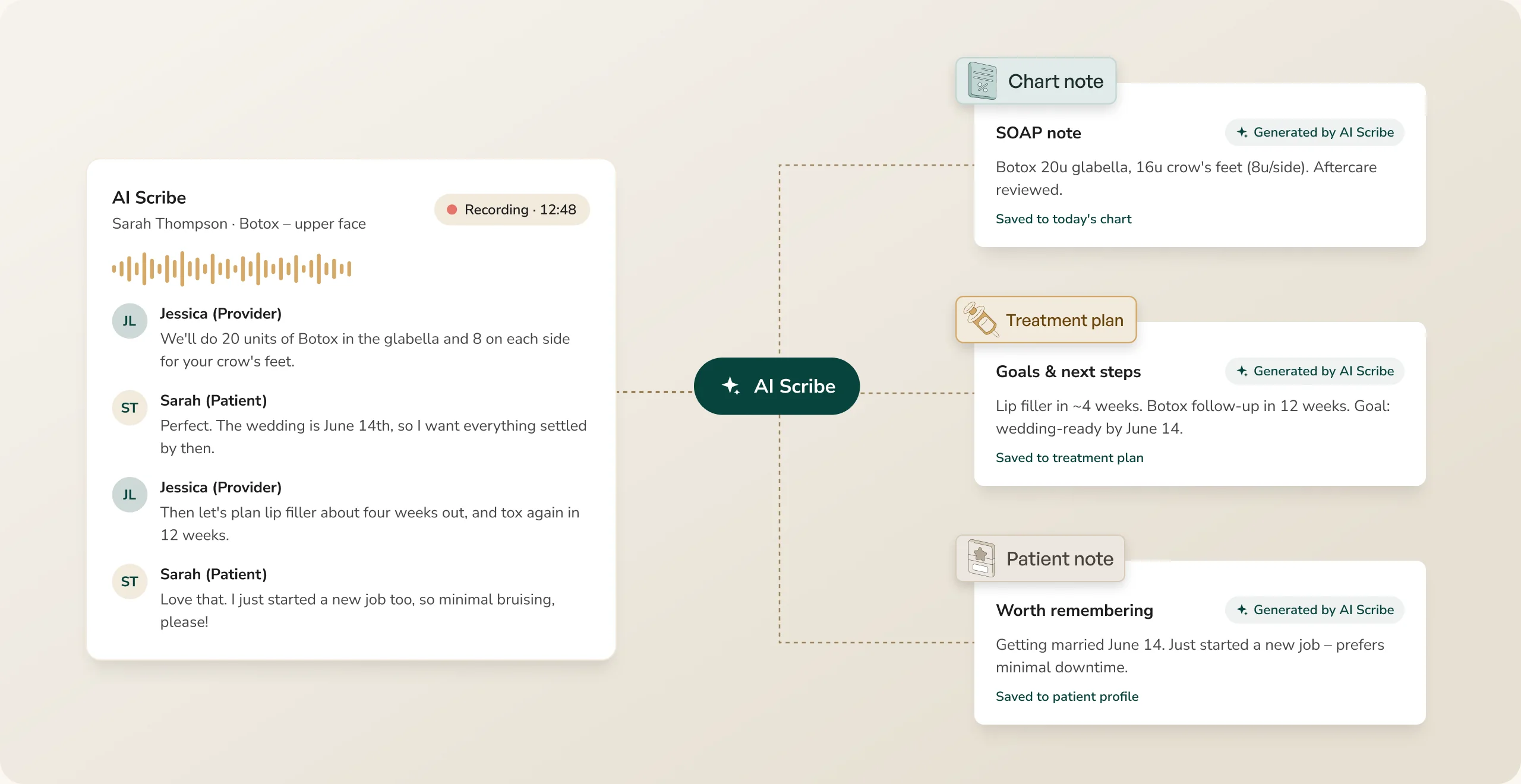
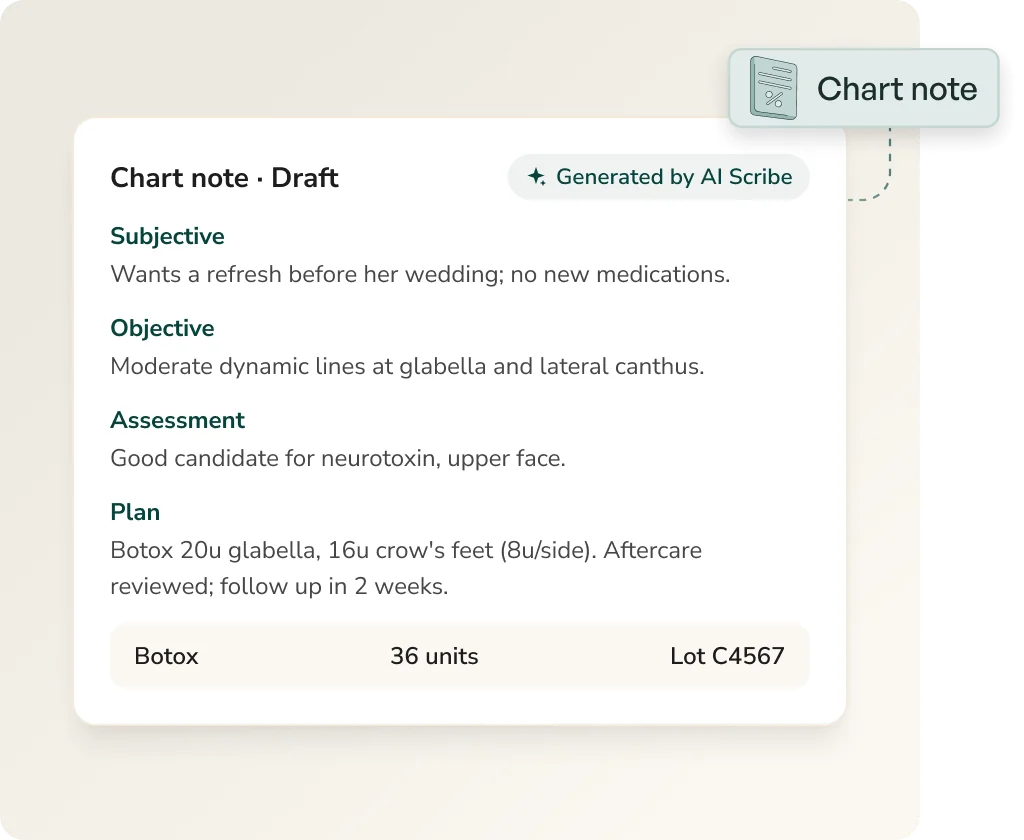
Chart note
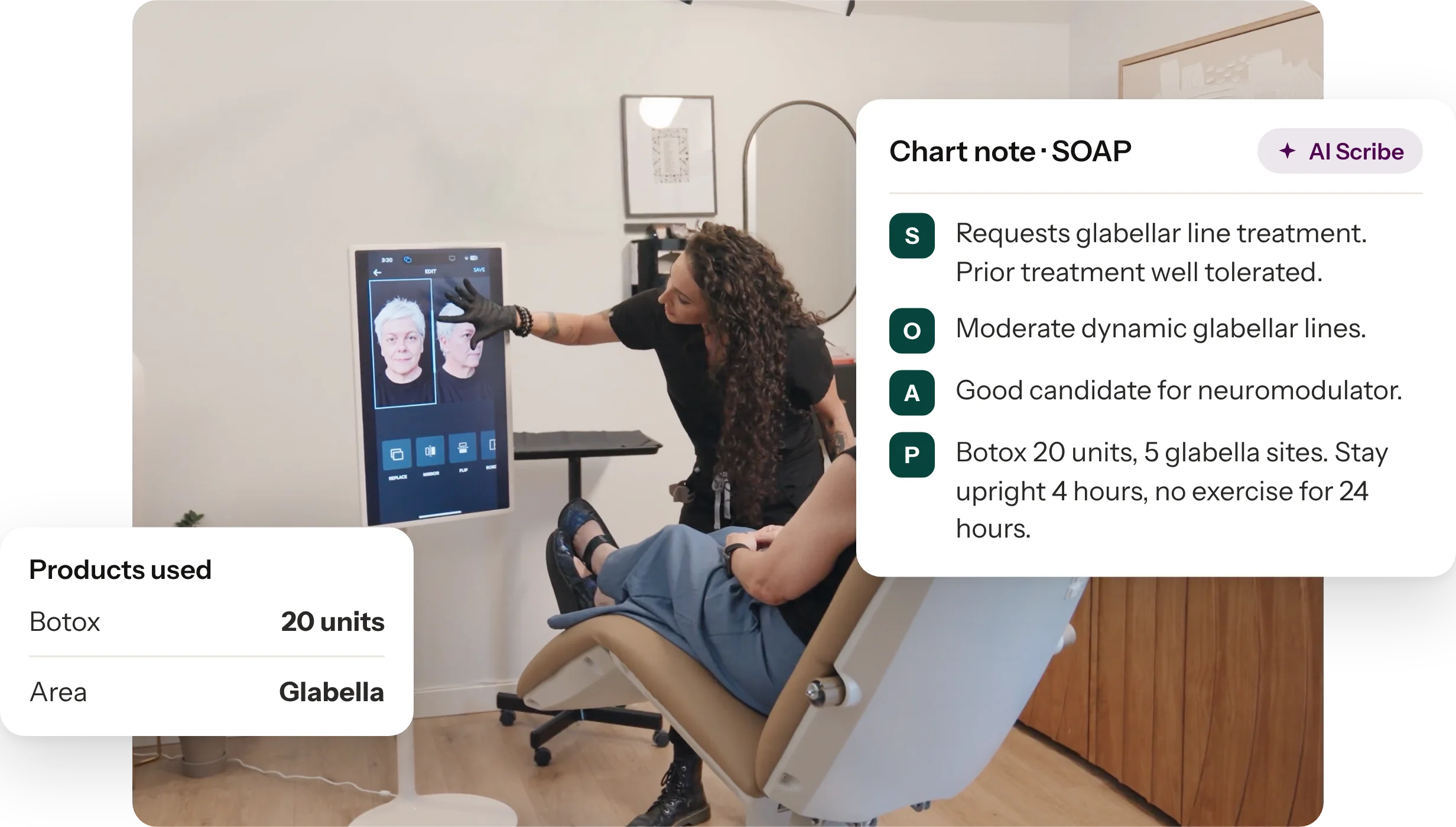
Documents what was assessed and treated during the visit, in SOAP format.
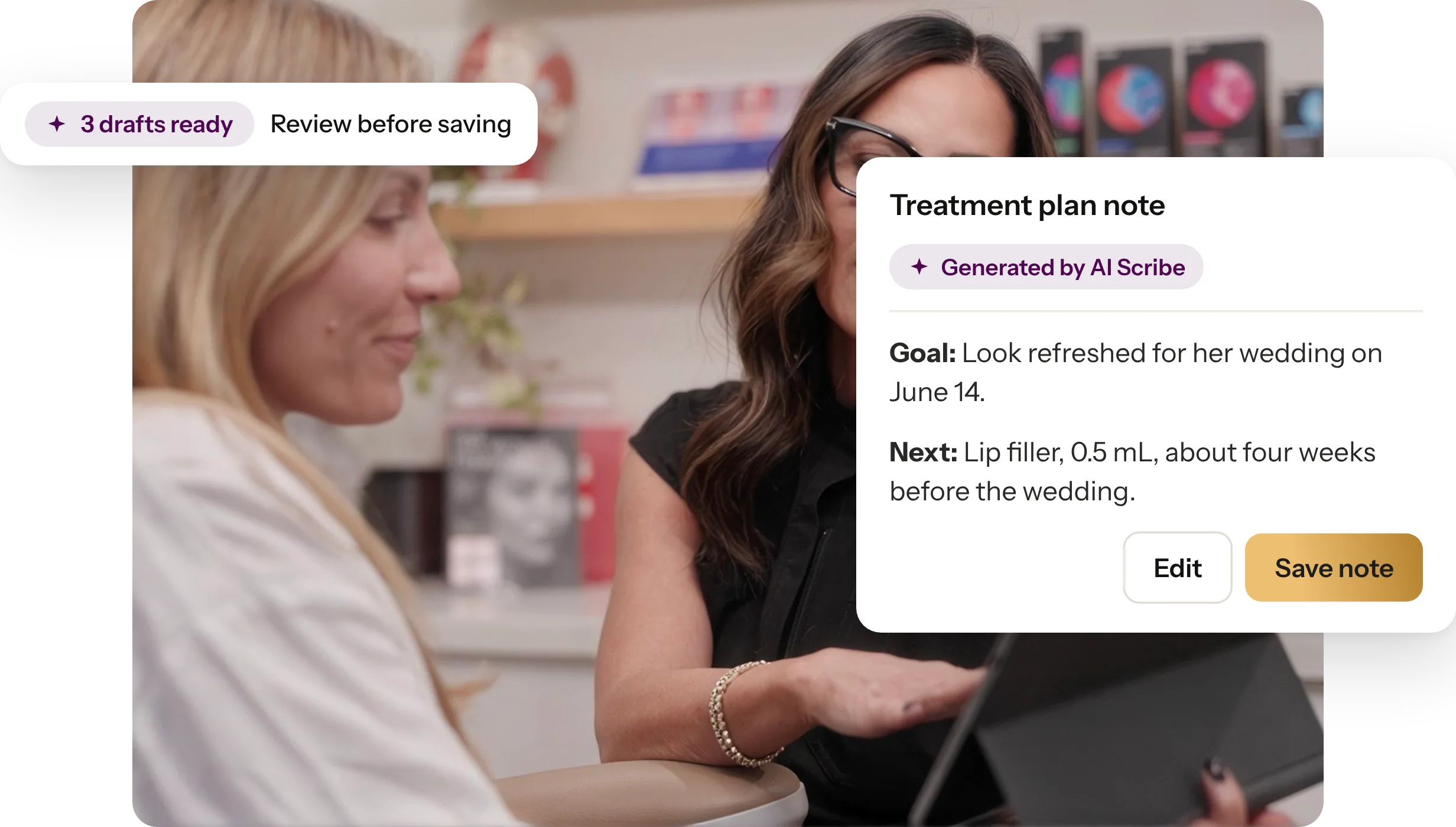
Treatment plan note
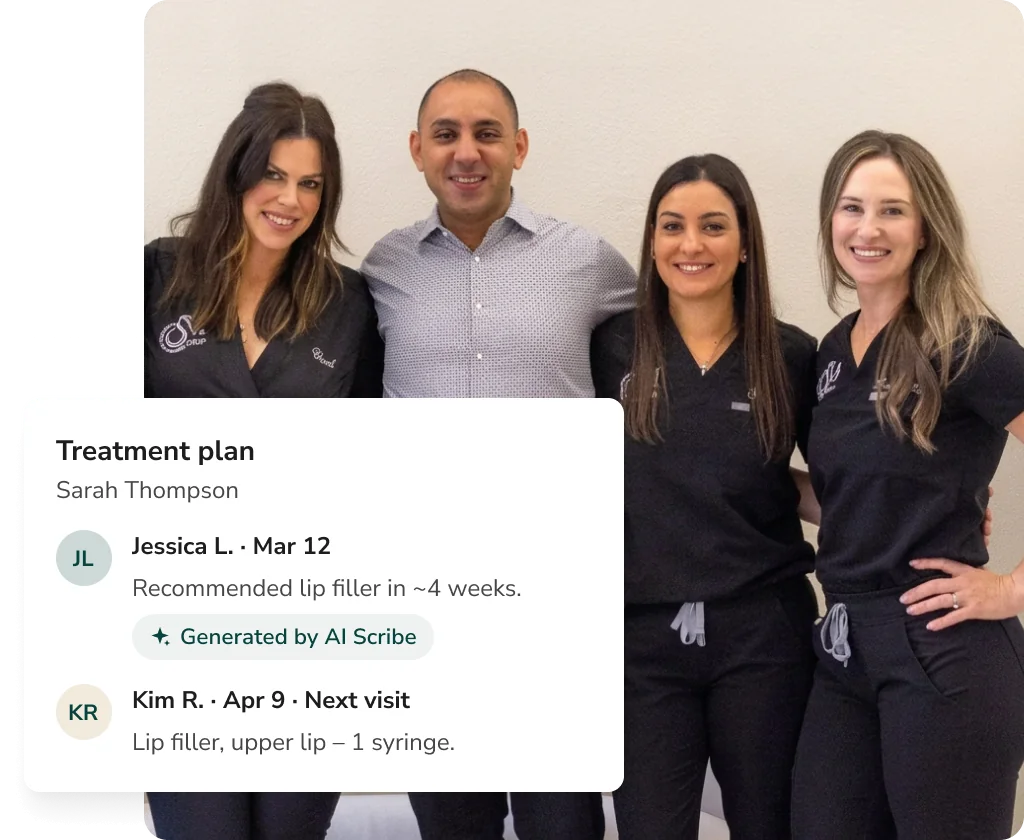
Keeps track of your patient's goals, recommended treatments, and plans for future visits.
Patient note
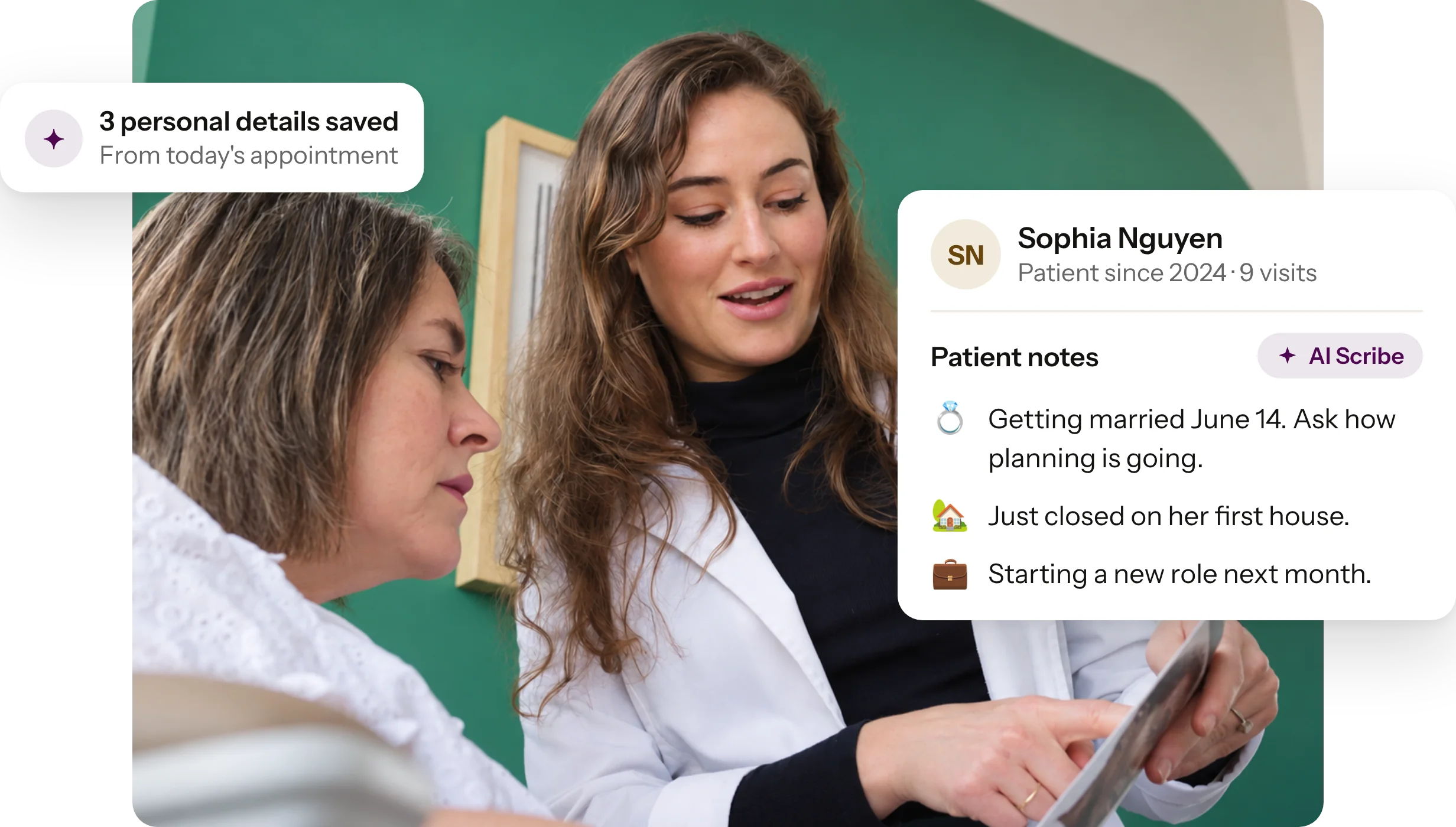
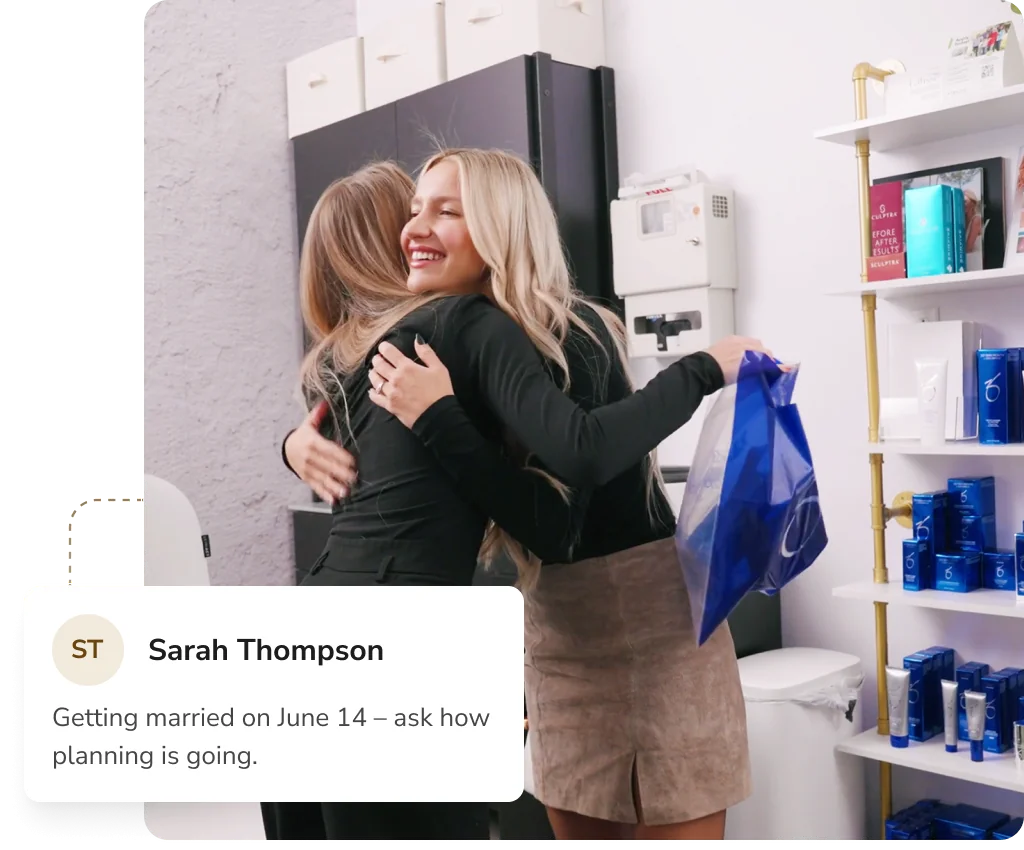
Saves the personal details you want to remember, like an upcoming wedding or a new job.
Sweat the small stuff – without breaking a sweat
AI Scribe saves the personal details patients share, like an upcoming wedding or a new job, right to their profiles. So you can pick up where you left off at the next visit and never miss a beat.
A head start on every chart
From the products used to the aftercare recommended, AI Scribe documents what happens during each appointment in a ready-to-review SOAP note. Customize the template to match your tone and preferred structure, ensuring every draft sounds like you.
Care that continues from one provider to the next
Some of the most valuable patient knowledge lives in your team’s heads — and it can walk out the door when they do. AI Scribe preserves the details, preferences, and recommendations that might otherwise go unrecorded, so every provider can build on the care that came before.

“It's simple to use, integrates directly into my Moxie charts, and allows me to easily review and edit my notes. Seeing 15–20 patients a day, it helps me stay on top of my documentation and maintain accurate, detailed charts for every patient.”
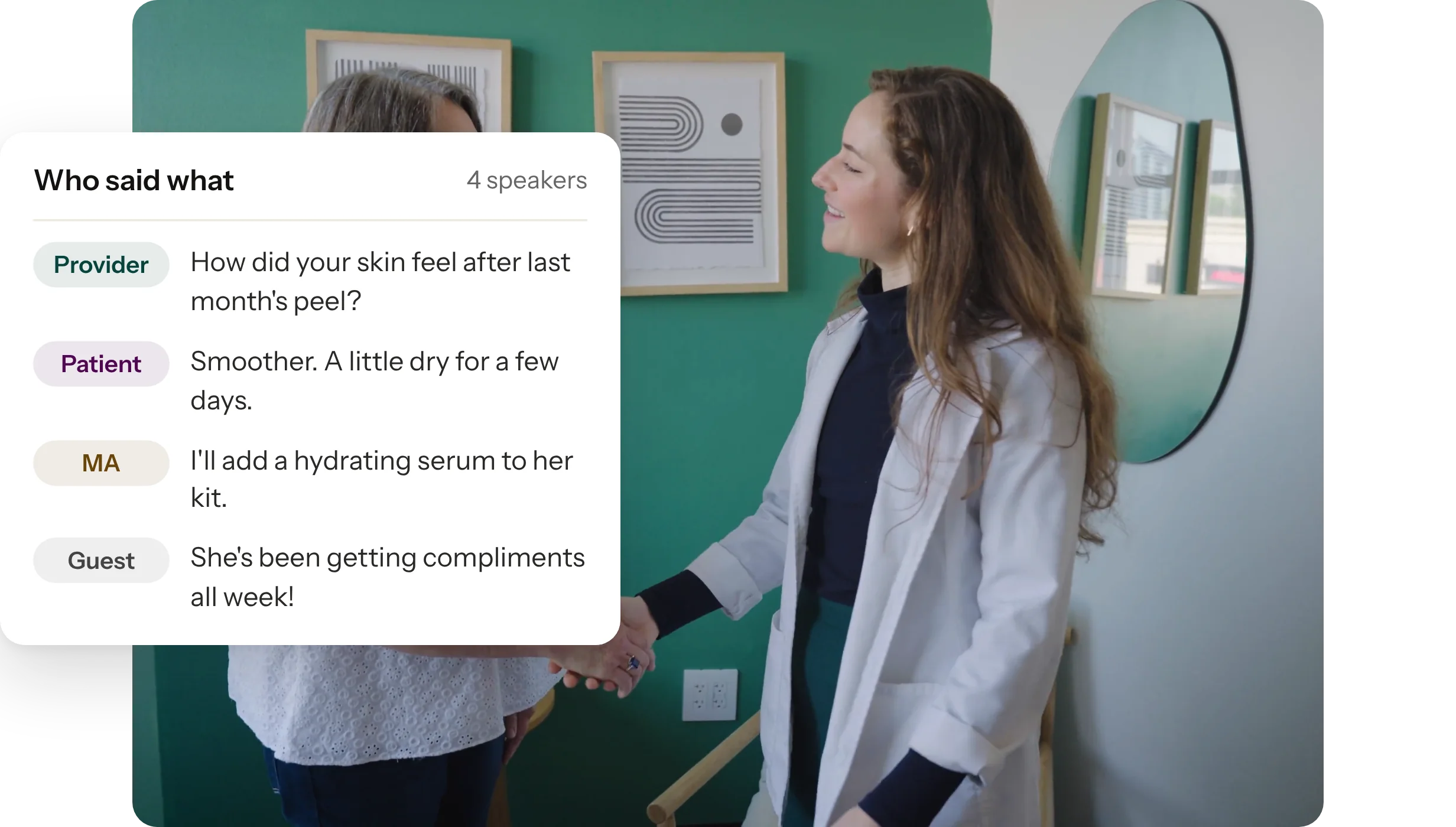
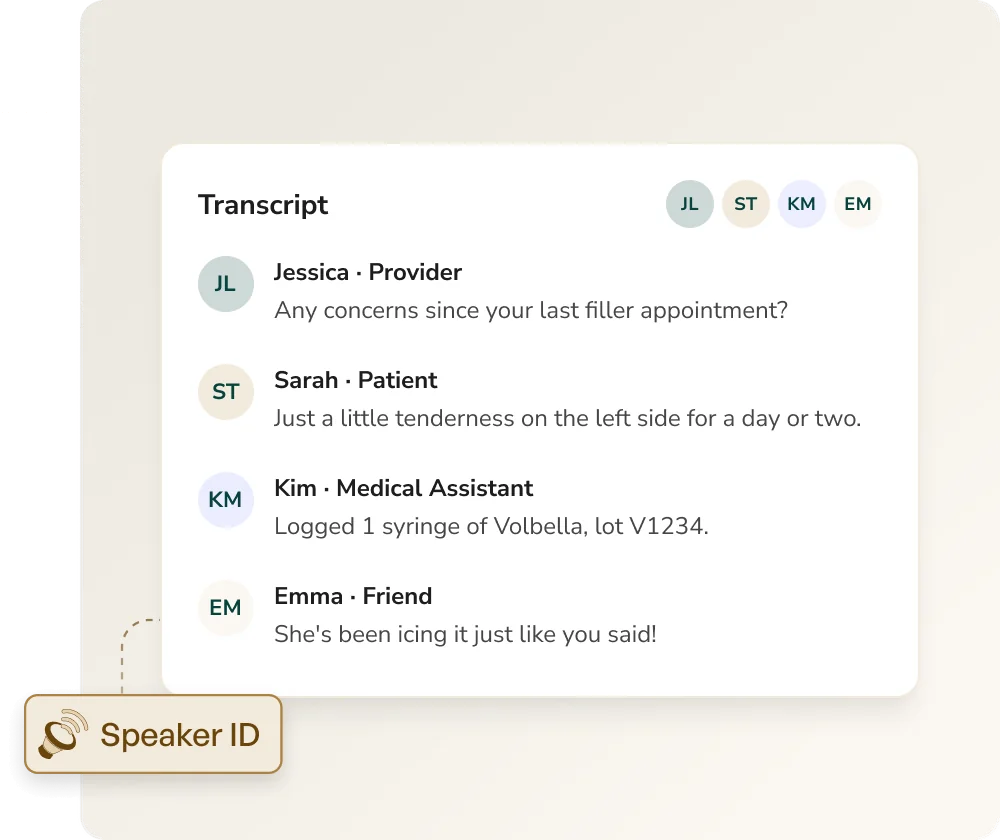
Know who said what, even when everyone's talking
The patient, the provider, an MA, maybe a friend who tagged along – AI Scribe can tell different speakers apart, so your notes accurately reflect who said what, even when there's more than one person in the room.
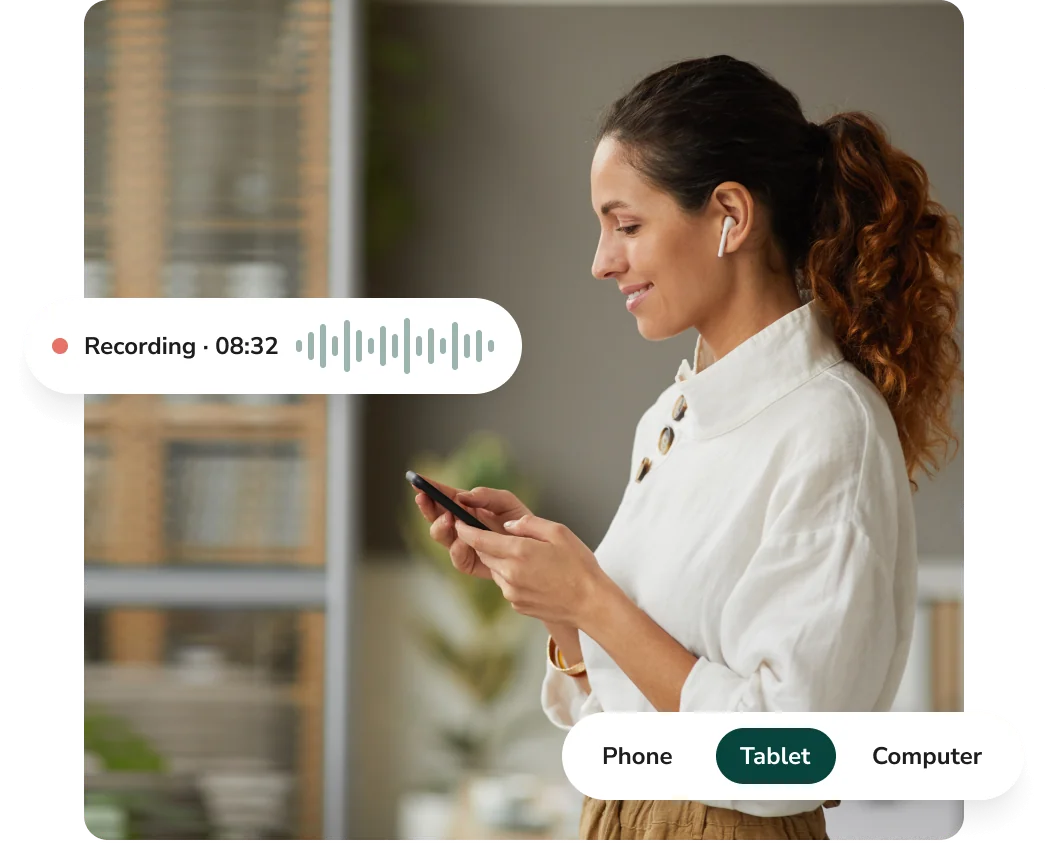
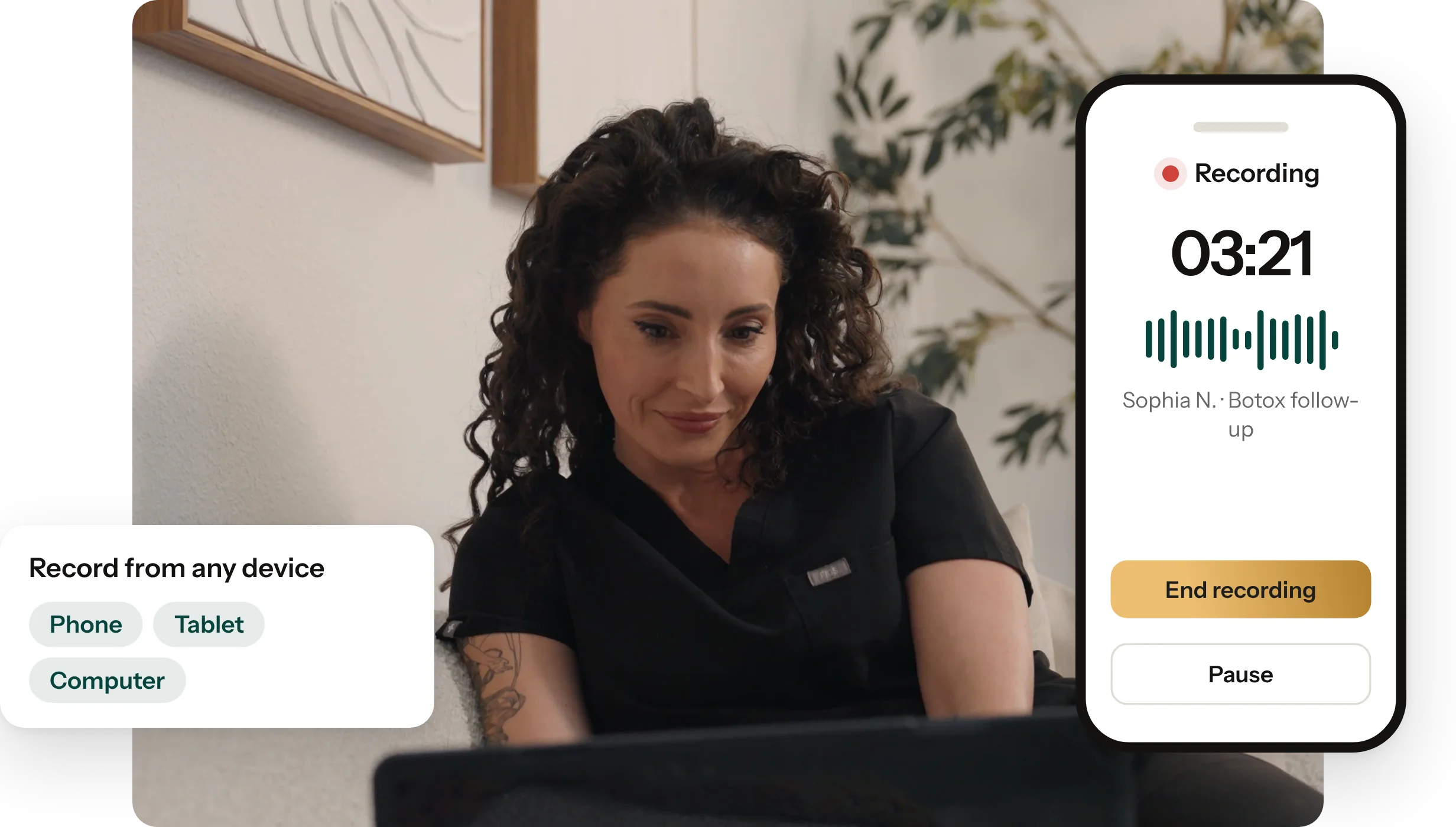
Record from whatever device works for you
Start recording on whatever device you have handy in the treatment room, and let AI Scribe take it from there. Your notes are automatically drafted in Moxie Suite, ready for you to review, edit, and save.
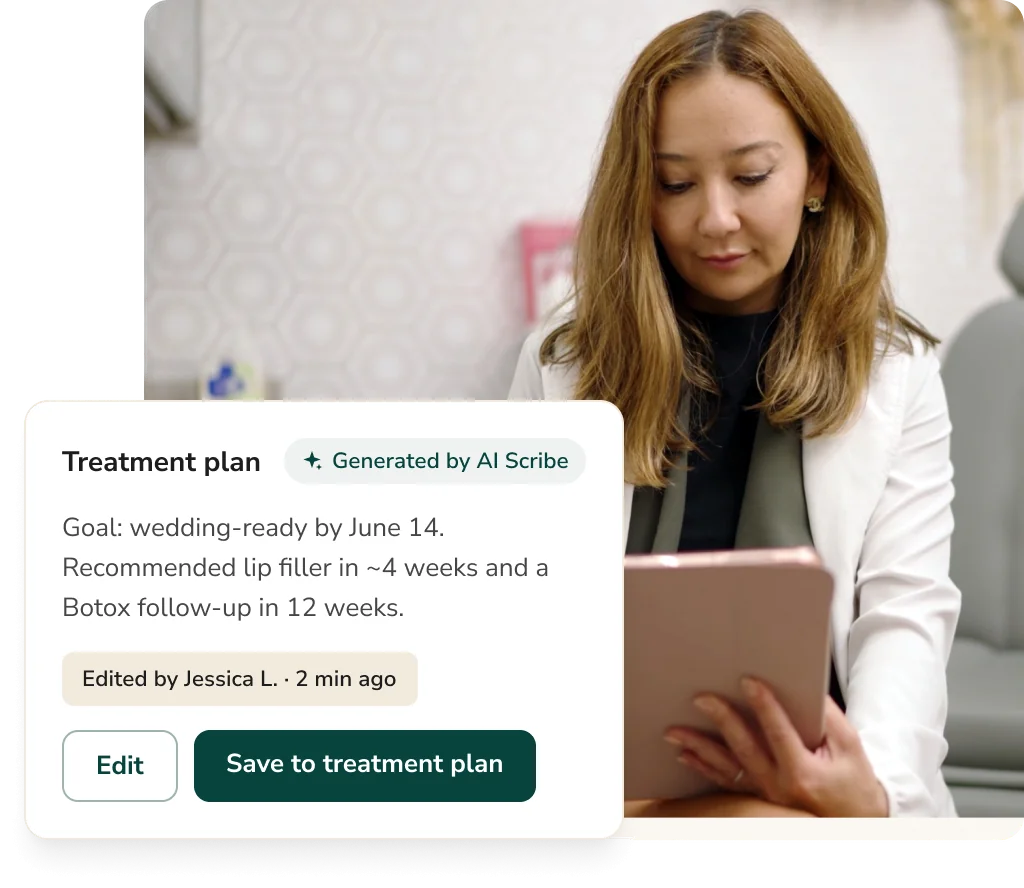
Drafted by AI but approved by you
Every note AI Scribe drafts is tagged “Generated by AI Scribe,” so you always know what still needs your review. Edit and make adjustments before hitting save.
FAQs
How is Moxie's AI Scribe different from other AI charting tools?
Most AI scribes and ambient charting tools focus solely on clinical charting. Moxie's AI Scribe goes further, turning one conversation into up to three notes:
- A clinical chart note,
- A treatment plan note with recommendations for future visits,
- A patient note with the personal details worth remembering.
Each is automatically saved where it belongs in Moxie Suite, with no copying and pasting.
How does AI Scribe work?
Just open an appointment in Moxie Suite and start recording. Have your conversation as you normally would, then end the recording when you're done. AI Scribe drafts your notes in about a minute, ready for you to review, edit, and sign.
Can I customize how AI Scribe writes my notes?
Absolutely – you can customize the instructions for each type of note, from how your clinical charts are structured to which details you'd like included. AI Scribe follows your preferences, so your drafts are closer to how you'd write them yourself.
What if I forget to record an appointment?
No worries – you can start AI Scribe whenever you remember and dictate or type a summary of the visit. The software will use any information you give it to draft your notes.
What happens if we don't discuss future treatments or personal details during an appointment?
AI Scribe only creates notes for topics that actually came up, so if you didn't discuss future treatments or personal details, it won't generate empty treatment plan or patient notes.
Can I use AI Scribe on my phone or tablet?
Yes, AI Scribe supports recording from a phone or tablet using the Twofold app, as well as from a computer through a web browser.
How do you protect my patients' data with AI Scribe?
AI Scribe is powered by Twofold, which follows HIPAA and HITECH security standards. Patient data is processed and stored in U.S. data centers and recordings are deleted after processing.
Can Moxie's AI Scribe document aesthetic treatments like Botox and dermal fillers?
Absolutely! Moxie's AI Scribe was built specifically for medical aesthetics, with note templates developed alongside medspa providers and medical directors. That means it knows which details matter during treatments like Botox and dermal fillers, from the products and units used to injection sites, aftercare instructions, and recommendations for next time.
As you talk through the appointment, AI Scribe captures those details and turns them into a clinical note. Just make sure to mention things like units and injection sites out loud so they make it into your draft. And because every provider has their own way of charting, you can customize the templates to fit your style, then review, edit, and sign off on each note before it's finalized.
How does AI Scribe work with my EMR?
AI Scribe is integrated directly into Moxie Suite, Moxie's EMR for medspas and aesthetic practices. Notes are drafted and organized across the patient's clinical chart, treatment plan, and profile, so there's no need to copy and paste information between systems.
How does patient consent work with AI Scribe?
Moxie makes it easy to collect patient consent with a ready-to-use form you can customize for your practice. You can set it to be sent automatically before every appointment, giving patients the opportunity to consent to recording or opt out if they prefer.
